
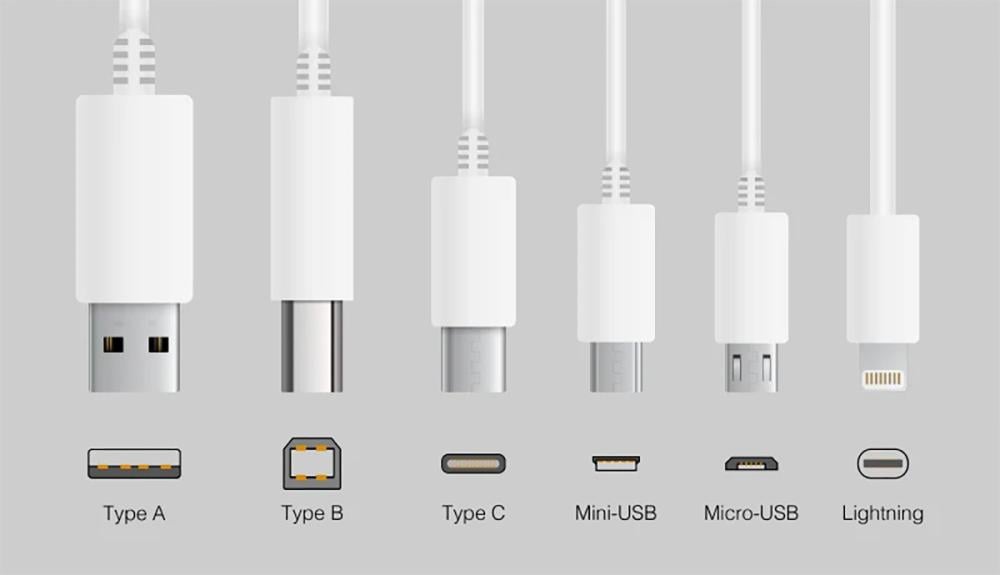
USB cables vary in shape, performance, and charging speed, making choosing the right cable essential to maintaining device efficiency. Using an incompatible cable may lead to slow charging or battery damage over time. Modern smartphones and laptops increasingly rely on USB Type C for its high speed and advanced support for charging and data transfer. USB Type C types offer multiple options that differ in specifications and speed, which requires precise knowledge to choose the best cable. In this article, we provide a comprehensive explanation of the differences in cable types and their advantages, with recommendations for the best original cables from Al-Dahmani Communications Store.
Your complete guide to the best types of USB connectors
USB cables have become an essential part of our daily lives, with the proliferation of smartphones, tablets, and computers. Choosing the right cable from among the various USB cables not only helps speed up the charging and data transfer process, but also protects our devices from damage.
USB-A
USB-A is the oldest and most common type of USB connector. This type has a flat, rectangular shape and is most often used in:
- Desktop and laptop computers.
- Traditional chargers.
- Peripherals such as printers and keyboards.
- Although USB-A is still widely used, the world is gradually moving towards USB Type-C types that offer faster charging and data transfer speeds.
Read more: Buying Guide for the Best Anker Bluetooth Headphones from Al Dahmani Communications
USB-B
USB-B is typically used in charging connectors for larger devices such as:
Printers.
- Professional monitors.
- Some docking stations.
- With the advancement in technology, USB-B has become less widespread, and more reliance has been placed on USB-C due to its high speed and efficiency.
USB-C (latest standard)
USB-C is one of the newest types of USB connectors, and has become the first choice for most modern devices. This type is characterized by:
- Small and symmetrical, allowing it to be connected in any direction.
- Supports fast charging and data transfer at amazing speeds.
If you are wondering what USB C is, it is simply a connector that supports:
- Charging speed up to 100W.
- Data transfer speeds of up to 10 Gbps or more.
- Compatibility with a wide range of devices such as phones, tablets, and laptops.
Mini USB
Mini USB was one of the most prominent types of USB connectors in the early 2000s, and was widely used with:
- Digital cameras.
- Some old smartphones.
- Portable gaming devices.
- As charging connectors have evolved, Mini USB has become less common and has been largely replaced by USB Type C, which is smaller and more efficient.
Read more: Does wireless charging harm or preserve the battery?
Micro USB
Micro USB has been widely used in older smartphones and small tablets. It was once a standard among USB connectors, but it has gradually lost its status. Nowadays, almost all devices are moving towards USB Type C due to its superior speed and ability to support fast charging. If you are still using Micro USB, it is time to upgrade to USB C to get the best possible performance.
With so many different types of USB connectors, there are plenty of options available, but USB Type-C remains the newest and most efficient. When considering an upgrade, be sure to choose original and certified charging cables from Al Dahmani Communications Store to ensure the best performance and quality.
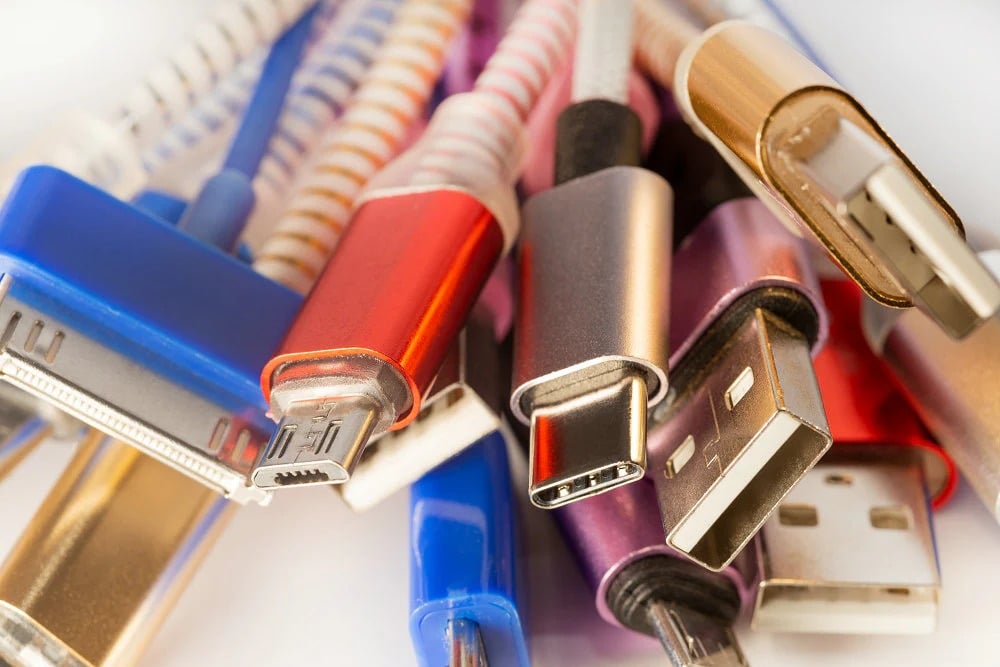
The difference between charging cable types and their performance
When it comes to charging cable types, not every cable is the same. Understanding the differences between USB cable types and their performance can make a huge difference in the charging speed and efficiency of your devices. Choosing the right USB cable not only improves charging speed, but also protects your device's battery from damage.
1. Shipping speed
One of the most important features that distinguishes different types of charging cables is charging speed. Some regular cables can charge your phone in 4 to 5 hours, while cables designed with USB-C technology support fast charging technologies such as Power Delivery (PD) and Quick Charge, allowing devices to be charged in less than an hour. Studies indicate that using a high-quality USB-C cable can increase charging speed by up to 70% compared to traditional cables.
2. Endurance
A good cable is not only fast charging, but also durable. Poor quality USB cables can easily wear out or tear after a few months of use, so it's always best to invest in strong cables like:
- RAVPower Type-C to Type-C Cable 1.2m Gold.
- Baseus Type C to Type C Cable 1m.
- Gooda Type-C to Type-C Cable 60W
- All of them are available at Dahmani Store in high quality that ensures longer life and daily durability for heavy use.
Read more: How many watts does a fast charger have ? And does it affect battery life?
3. Device compatibility
Device compatibility is equally important when choosing a charging cable. Some cables don't work perfectly with all devices, which can lead to slow charging or even damage to the device over time. Most modern phones now rely on USB Type-C, so you should make sure that the cable you choose:
- Supports modern USB Type C standards.
- Provides enough power to safely charge the device.
- Specially designed for modern devices that rely on USB C as the primary standard for charging and data transfer.
- Choosing an original and certified cable from a trusted store like Al Dahmani Store protects your device and provides you with optimal performance in the long run.
When it comes to USB cable types, be sure to choose a cable that supports high charging speeds, excellent durability, and full compatibility with your device. Don't forget that relying on high-quality cables like the modern USB Type-C ensures a comfortable and fast user experience.
Read more: Learn the best way to use a wireless power bank to charge your devices efficiently.
What is USB C: The new generation of connectors?
Among all types of USB connectors, USB Type-C represents a qualitative leap in the world of communications, thanks to its smart design and advanced technical specifications, making it the first choice among all types of modern charging connectors. Choosing a USB Type-C cable guarantees you a more efficient and easy-to-use experience. Here are its most prominent features:
1. Reversible connectivity
One of the most important advantages of USB Type-C is that the cable can be connected in either direction. You no longer need to try to connect the cable multiple times, as it works efficiently in both directions, which distinguishes modern USB connectors from older versions.
2. Support fast charging and high-speed data transfer
Fast charging technologies have become a standard in smartphones, and with USB Type-C, it's now possible to:
- Charge your phone to 50% in less than 30 minutes.
- Transfer large files at lightning speed.
- This feature gives modern charging cables a clear advantage over traditional cables.
3. Support high power transmission up to 100W
One of the biggest improvements offered by USB Type-C is its support for high power transfer of up to 100 watts, making it suitable for:
- To charge smartphones.
- Charging tablets.
- Fully charge laptops.
- Thanks to this feature, you can now use just one cable for all your devices, which reinforces the importance of relying on advanced USB Type C types.
Read more: The best types of car battery chargers from the Dahmani Communications range.
4. Supported devices
Today, most modern devices rely on USB Type-C as the primary standard, the most prominent of which are:
- Flagship smartphones like Samsung Galaxy and iPhone (starting with the iPhone 15).
- Laptops like MacBook Pro and Dell XPS.
- Gaming devices like Nintendo Switch.
- The reliance of major companies on USB Type-C is strong evidence of the superiority of this type over other types of USB connections.
5. Data transfer speed
In terms of performance, USB Type-C offers amazing speeds:
- Supports data transfer speeds up to 10 Gbps with USB 3.1 standard.
- With Thunderbolt 3 and 4 technologies via USB Type-C port, speeds reach up to 40 Gbps.
- This means you can transfer a 20GB file in less than a minute, making USB Type C an ideal choice for professionals who need high speeds at work.
Choosing a USB Type-C is a smart investment for anyone looking for superior charging and data transfer performance. What is USB Type-C and what advantages does it offer, such as reversible connectivity and high-power support? It's easy to understand why it tops the list of the best types of cables. This type is characterized by its advanced technology and ease of use, making it the best choice among all types of charging cables available.
Read more: What are the most common causes of slow mobile charging and how does it affect device performance?
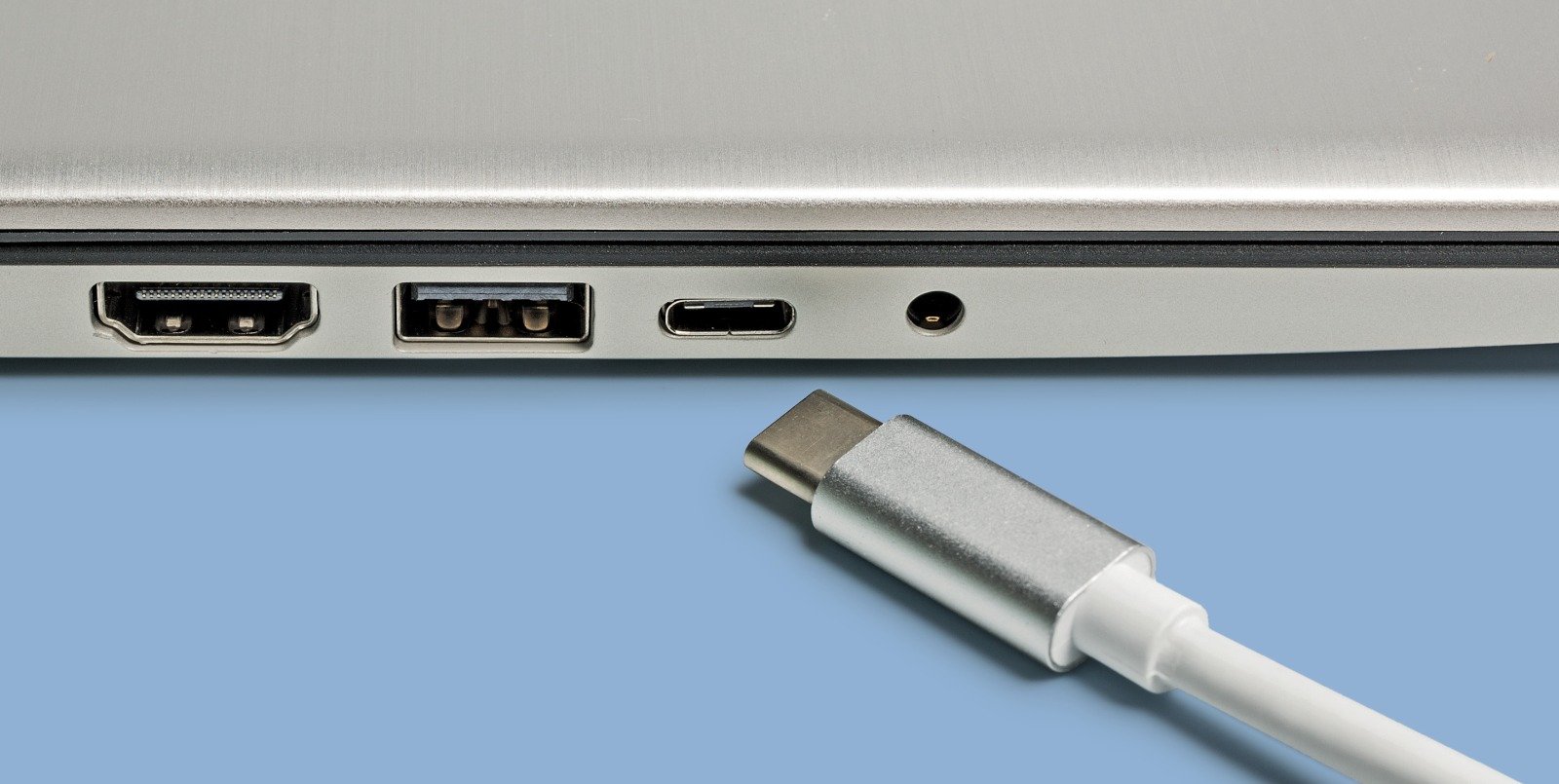
Comparison between USB Type C types
Although all USB Type-C cables may look similar on the outside, there are significant differences between the types in terms of performance, charging speed, and data transfer. Therefore, when choosing the right cable among the various USB connector types, you should pay attention to the technical details that distinguish each type from the others.
USB 2.0 Type-C
- Speed: Data transfer speeds up to 480 Mbps.
- Charging: Supports charging but at slower speeds than expected.
- Uses: Suitable for low-consumption devices or for regular charging.
- Although it is a type of USB connection, its performance does not meet the requirements of modern devices that rely on advanced charging connectors.
USB 3.1 Type-C
- Speed: Data transfer speeds up to 5-10 Gbps.
- Charging: Supports fast charging technologies such as Power Delivery.
- Uses: Modern smartphones, tablets, and some laptops.
- USB Type C offers the perfect balance between charging speed and data transfer, making it an excellent choice for most users.
Read more: Effective ways to treat the reason for Samsung battery draining quickly and prolong its life.
Thunderbolt 3 via USB Type-C
- Speed: Transfer data at speeds up to 40 Gbps.
- Charging: Supports charging large devices such as laptops and professional devices.
- Uses: Transferring huge files, charging high-performance devices, supporting 4K displays.
- Thunderbolt 3 is an amazing development in the world of USB connectors, but it is often expensive and used in professional environments.
Which is better for phone?
When choosing a cable to charge or transfer data from your smartphone, it's important to distinguish between these types:
- USB 3.1 Type-C is the ideal choice for smartphones, supporting fast charging and highly efficient data transfer.
- Thunderbolt 3 is not necessary for a regular phone, unless you are using a phone with very professional specifications.
- For best performance, make sure to choose a cable that supports the latest USB Type-C standards and don't rely solely on the connector's appearance.
Tips for choosing
To choose the right cable from among the modern types of USB connectors, here are some practical tips:
- Check the cable's technical specifications: Look for terms like USB 3.1 or Thunderbolt when purchasing.
- Choose cables that support fast charging: Make sure the cable supports technologies like Quick Charge or Power Delivery.
- Avoid cheap cables: Poor quality can result in slow charging or even damage to your device.
- Buy from a trusted store like Dahmani Store: where you'll find the best USB Type-C cables that are certified and safe to use.
Understanding the differences between USB cable types makes choosing the right cable easier and ensures optimal performance for your device when charging or transferring data. Relying on high-quality cables that support modern charging cable technologies contributes to protecting your device's battery and improving your daily usage experience. If you're looking for faster speeds, better durability, and perfect compatibility with your devices, the best USB options are available through Al Dahmani Communications, with a guarantee of quality and reliability.